Starting the ecFlow Server
The executable ecflow_server is used to start an ecflow_server using the default port number or that defined by the environment variable ECF_PORT.
cd ECF_dir1
nohup ecflow_server & # start ecFlow with **default** port 3141
Multiple ECFs can be run on the same host using different port numbers. There are two mechanisms for specifying the port number:
Using arguments on the command line. i.e. ecflow_server –port=3141
Using the Environment variable. ECF_PORT
If both are specified the command line argument takes precedence
cd ../ECF_dir2
ecflow_server –-port=3142& # start ecFlow with port number 3142
cd ../ECF_dir3
export ECF_PORT=3143
ecflow_server &            # starts ecFlow with port number 3143
Note: the ECFs are started in different directories so that the output and checkpoint files are not overwritten
ecflow_ui configuration
Adding a new server to ecflow_ui adds the definition to the file:
~/.ecflowrc/servers.
This can be modified directly.
Start-up scripts
A start-up script, ecflow_start.sh, is a useful way of starting and configuring ecFlow server.
An example start-up script is included in the default installation of ecFlow. A start-up script can be used to:
configure some of the default ecFlow variables
check that an ecFlow server is not already running (by using
ecflow_client --ping)set the appropriate environment (or do it in .profile or .cshrc)
backup previous log files and checkpoint files
and, eventually, launch
ecflow_serverin the background, and alert operators if a problem occurs while starting the server.
Two ecFlow servers cannot be started on the same host machine with the same port number.
To allow users that want to run multiple ecFlow servers on the same host machine, the script
ecflow_start.sh can choose a difference port number based on the unique user ID.
Which ports are being used can be checked with netstat. To list all open network ports on your machine, consider running the following command:
netstat -lnptu
Here is a breakdown of the parameters:
l - List all listening ports
n - Display the numeric IP addresses (i.e., don’t do reverse DNS lookups
p - List the process name that is attached to that port
t - List all TCP connections
u - List all UDP connections
When using non-default ecFlow servers, ecflow_ui needs to be configured to recognise the port used. This can be done in the Manage servers dialog.
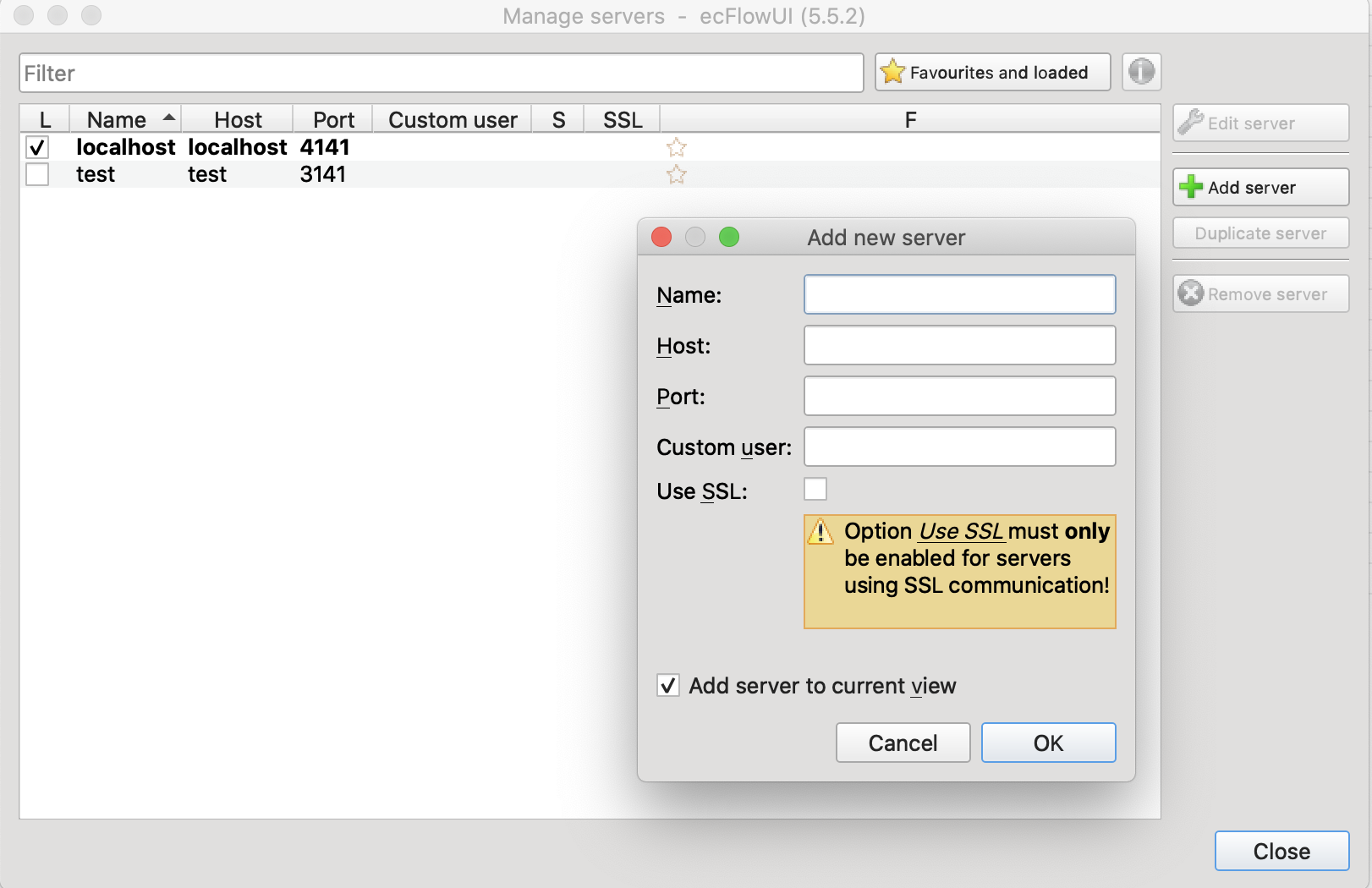
Fig. 3 Viewing new ECFLOW servers with ecflow_ui