Starting the ecFlow Server
The executable ecflow_server is used to start an ecflow_server using the default port number or that defined by the environment variable ECF_PORT.
cd ECF_dir1
nohup ecflow_server & # start ecFlow with **default** port 3141
Multiple ECFs can be run on the same host using different port numbers. There are two mechanisms for specifying the port number:
Using arguments on the command line. i.e. ecflow_server –port=3141
Using the Environment variable. ECF_PORT
If both are specified the command line argument takes precedence
cd ../ECF_dir2
ecflow_server –-port=3142& # start ecFlow with port number 3142
cd ../ECF_dir3
export ECF_PORT=3143
ecflow_server &            # starts ecFlow with port number 3143
Note: the ECFs are started in different directories so that the output and checkpoint files are not overwritten
Adding a new server to ecflow_ui adds the definition to the file:
~/.ecflowrc/servers.
This can be modified directly.
You cannot start two ecFlow servers on the same machine with the same port number. To simplify users wanting their own ecFlow servers we have a script ecflow_start.sh that sets up an ecFlow server using a port number based on the users own unique user ID
You can check what port numbers are being used, with netstat: To list all open network ports on your machine, run:
netstat -lnptu
Here is a breakdown of the parameters:
l - List all listening ports
n - Display the numeric IP addresses (i.e., don’t do reverse DNS lookups
p - List the process name that is attached to that port
t - List all TCP connections
u - List all UDP connections
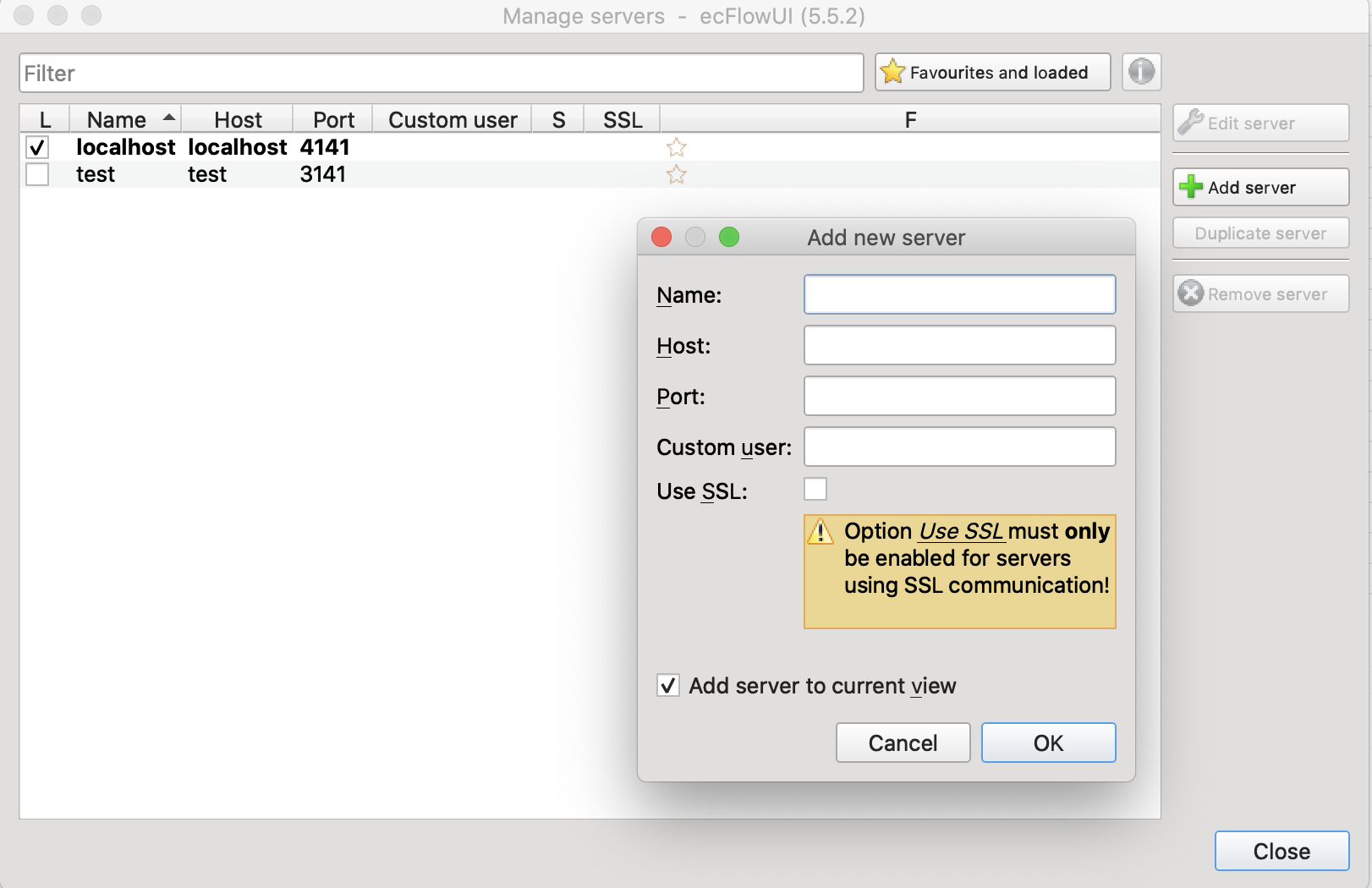
Fig. 3 Viewing new ECFLOW servers with ecflow_ui
When using non-default ecFlow servers, ecflow_ui needs to be configured to recognise the port used. This can be done in the Manage servers dialog.